
When I first heard about Simply Static, I was sceptical. I’ve spent years wrangling WordPress sites through security patches, slow database queries, and hosting bills that crept up every time traffic spiked. So when I tell you this very blog is running a Static HTML site right now, I mean it as a genuine endorsement, not a sales pitch.
How it works
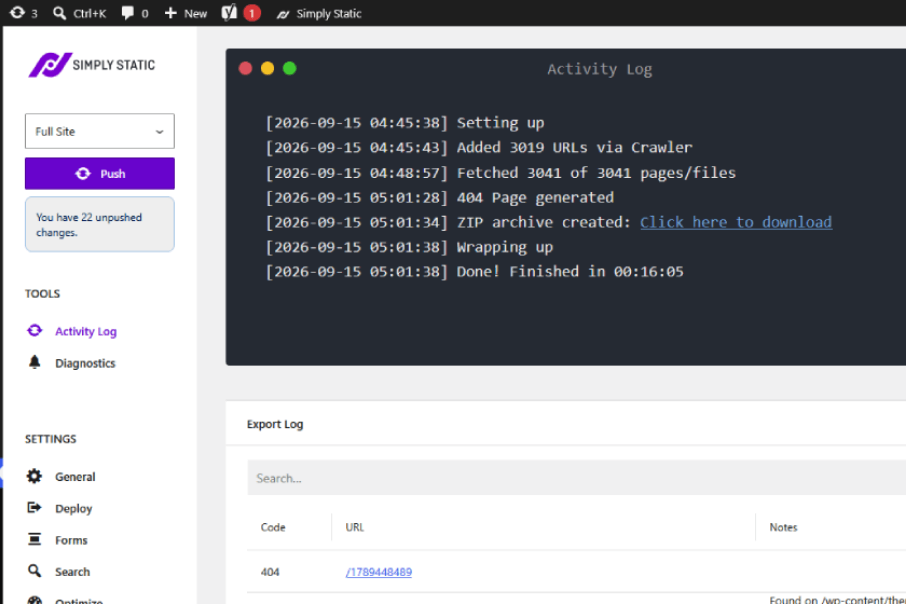
Here’s what won me over: I still edit everything in Gutenberg, Elementor, or Bricks exactly as I always have. Nothing changes about the day-to-day writing and building process. When I’m ready to publish, Simply Static crawls the whole site and converts every page, post, custom post type, and media file into static HTML, CSS, and JS. I can export locally, grab a ZIP, or push the static HTML site straight to a static host.
Free vs Pro
I run the free version for most projects, and it covers one-click export, ZIP archives, URL replacement, and solid compatibility with the themes and SEO plugins I rely on. I honestly haven’t had the need for more yet, but the Pro add-on brings automated deployments, static search through Fuse.js or Algolia, webhook-based form handling, and multilingual support. For sites that does regular updates but still needs it in a static html format, going pro might be the solution.
Performance and security gains
The speed difference is the first thing ofcourse. Static html sites just faster because it doesn’t need anything from the server. Static files skip database queries and PHP rendering entirely, so pages load noticeably faster, especially once I paired with a CDN. Security improved just as much. There’s no live wp-login.php sitting exposed, no active database connection for anyone to target, and no PHP execution for an attacker to exploit. No hosting bill too.
Where it falls short
I won’t pretend it’s perfect for everything. Anything that needs a real-time server response, like WooCommerce checkouts, membership logins, or live dashboards, sits outside what a static export can handle. I’ve had to bring in third-party tools for contact forms, since static sites can’t process submissions on their own. Content updates also take an extra step now.
Every change I make needs a rebuild and redeploy before it goes live, so it’s not quite the instant save-and-refresh I was used to.
Best-fit use cases
From what I’ve seen, brochure sites, local service businesses, landing pages, portfolios, blogs, and documentation sites all suit this setup well. As someone who manages several client sites, I’ve found it cuts down on maintenance tickets significantly. There’s simply less for hackers or server issues to latch onto.
Final verdict
If your content doesn’t change every day and speed or security matter more to you than live interactivity, I’d recommend giving Simply Static a proper look. If you’re running a transactional site or something that updates constantly, the rebuild step will probably frustrate you. For a site like mine, it’s been a low-effort way to keep the WordPress workflow I know while cutting hosting costs and closing off most of the usual attack surfaces.
Curious what a static WordPress site could do for your own load times and hosting bill? Get in touch and I’ll walk you through what migrating looks like.